CADEN HAYNOR / NEWS EDITOR
Duo Push’s “Remember Me” feature is no longer available to USD students and faculty.
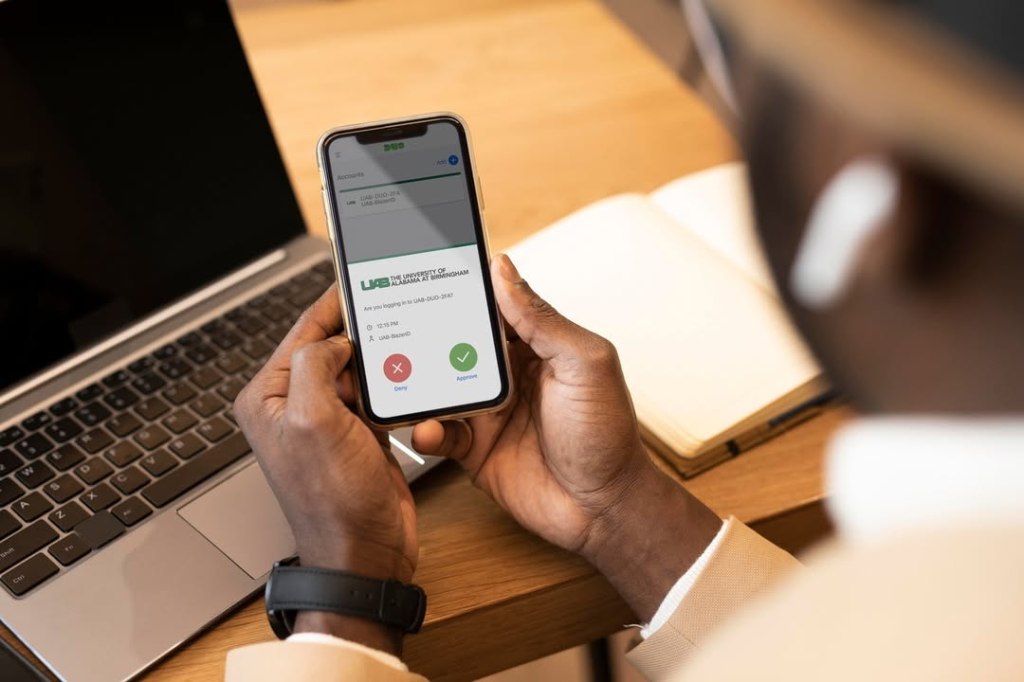
In order for a student to perform a full Duo validation, they must log in with their credentials, receive the Duo Push notification and approve it on their mobile device. This process must now be completed for every new login a student makes into their MySanDiego student account. If their email is open on one tab, they will still need to utilize the function if they open Canvas in an additional tab.

Duo Push is a cybersecurity platform that has its users go through a verification process to log into accounts. Photo courtesy of @byui_it/Instagram
Since some students login to their account multiple times a day, this increased security has caused annoyance. USD senior Zach Hanson reacted to the increased Duo Push validation requests.
“It is really annoying because now I have to go to Duo Push every time I need to sign in,” Hanson stated. “It’s especially difficult when I’m in a class, where there is not good service, because sometimes my phone doesn’t work and I can’t get into my USD account on my computer.”
Students were notified of this change to the login validation in an email sent by the USD Information Technology Services (ITS) Help Desk on Sept. 25, 2025. The notice alerted the USD community on why this initiative was put in place.
“We want to alert you to a rise in phishing scams targeting universities nationwide,” IT stated. “These scams attempt to deceive users into revealing personal information, clicking on malicious links, or granting access to sensitive accounts.”
One of these nationwide universities was Columbia University, which experienced a major data breach in August of this year. Nearly 900,000 students were affected, with compromised data being released. Multiple other universities, including the University of Chicago and the University of North Carolina, have experienced phishing scams recently.
The University explained the use Duo Push has for USD student security.
“Duo is used to strengthen students’ and the university’s cybersecurity, and these changes add an important, additional layer of security. The changes were made to the login process after consulting with cybersecurity experts. Users are prompted to authenticate once every 12 hours per device, or if another browser is used.”
Many students at USD receive similar phishing emails to those at other universities, which are utilized by hackers to fish for personal information, like students’ Social Security Numbers. Many of these emails use what appears to be a USD email address to send a message that looks like a lucrative job posting or cheap item to buy, but are actually looking for sensitive information.
Even Duo Push is not immune to phishers trying to get student information. Hackers have sent what appear to be calls or notifications from the Duo Mobile app, that are actually fake.
In an attempt to raise awareness about these attacks and arm students against them, the USD IT Department regularly sends out phishing emails to USD students and faculty. If a USD community member were to press one of these links, they would be directed to a training module, which informs about how to detect and avoid these emails.
As USD students now have to spend more time during the day approving their own logins, they will continue to assess whether this increased precaution is beneficial to their experiences.
Students must approve sign-ins from their phone for Duo validation. Photo courtesy of @uab_it/Instagram




 The USD Vista
Leave a comment